Appearance
1 - Getting Started
1. Overview
Information on Quanser: https://www.quanser.com/products/qcar-2
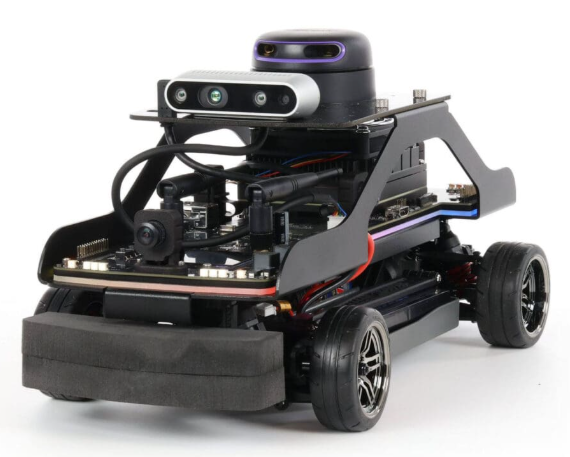
The QCar 2 is the feature vehicle of the Self-Driving Car Studio, an open-architecture, 1/10th scale vehicle designed for academic self-driving initiatives. Driven by the powerful NVIDIA Orin AGX and equipped with a comprehensive suite of inertial, visual, and ranging sensors, it is designed to elevate your research, education, and outreach to the next level.
2. Quick Start Guide
2.1 Setup QCar 2
Use QCar 2 Quick Start Guide for instructions about installing the batteries.
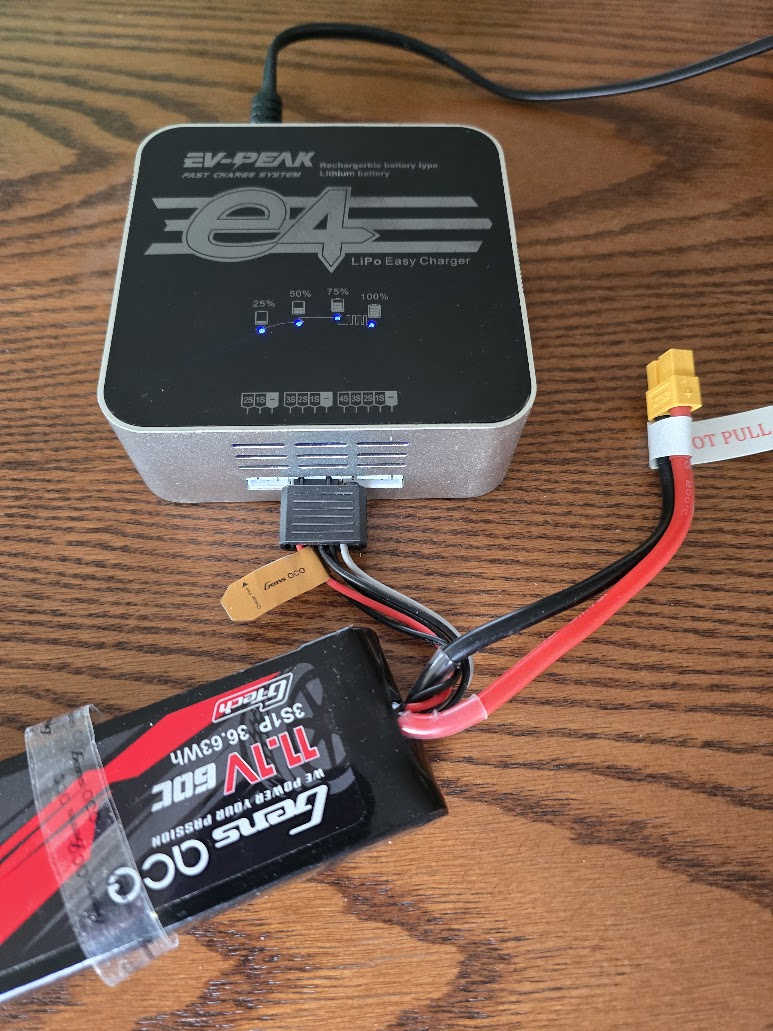
To charge the batteries, plug in the black adapter into the "middle" slot on the charger as shown below. The battery is fully charged when all four blue LEDs are solid:
2.2 On/Off Button
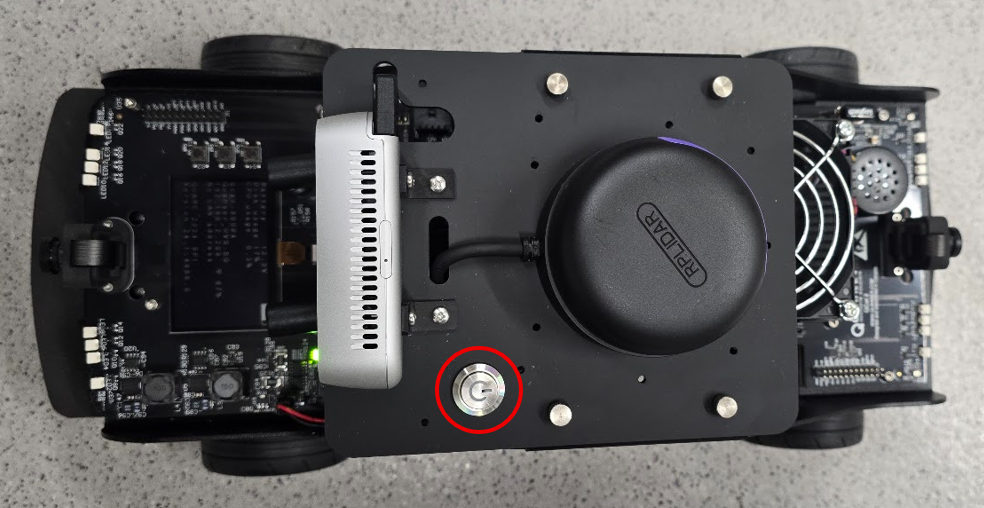
On/Off button does not match the manual. Shown in the red circle below:
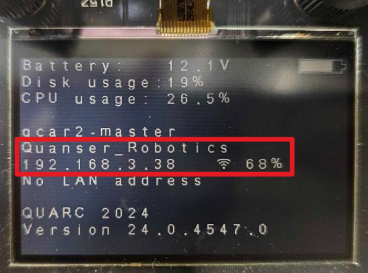
After the QCar boots, the LCD display on the QCar should look similar to the following (indicating IP address):
2.3 IP Addresses
- QCar 2 A: 192.168.2.101
- QCar 2 B: 192.168.2.102
3. User Manuals
The full QCar 2 User Manuals can be found at QCar 2 User Manuals.
4. Connectivity
4.1 Ping QCar 2
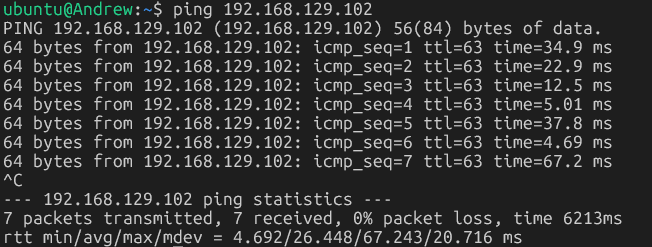
To check that the QCar is reachable, ping using the QCar 2's IP address. For example:
bash
ping 192.168.2.101Example output:
4.2 SSH to QCar 2
- To SSH into the QCar 2, specifying the nvidia user and IP address of the QCar 2, for example
bash
ssh nvidia@192.168.2.101- Use password
nvidia.
4.3 Transferring Files
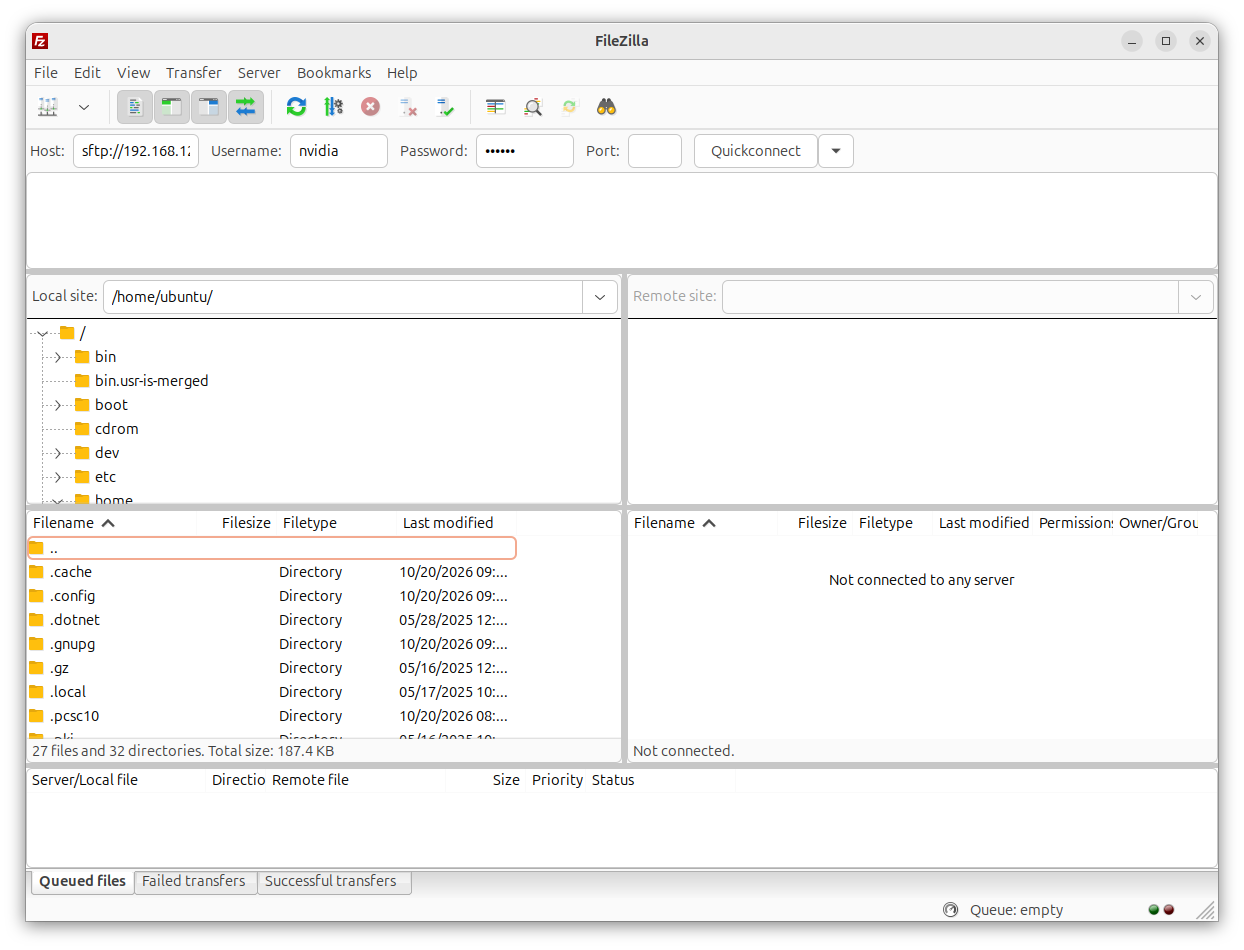
To transfer files to and from the QCar 2, you can use FileZilla:
- Specify Host:
sftp://<ip_address_of_QCar> - Username:
nvidia - Password:
nvidia
4.4 Remote Desktop
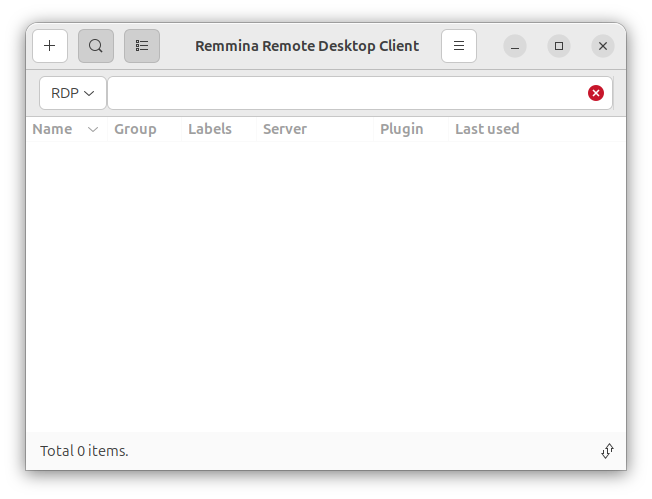
- Open
Remminaon the laptop:
- Click on the
+and create a new Remote Connection Profile (Username=nvidia, Password=nvidia):
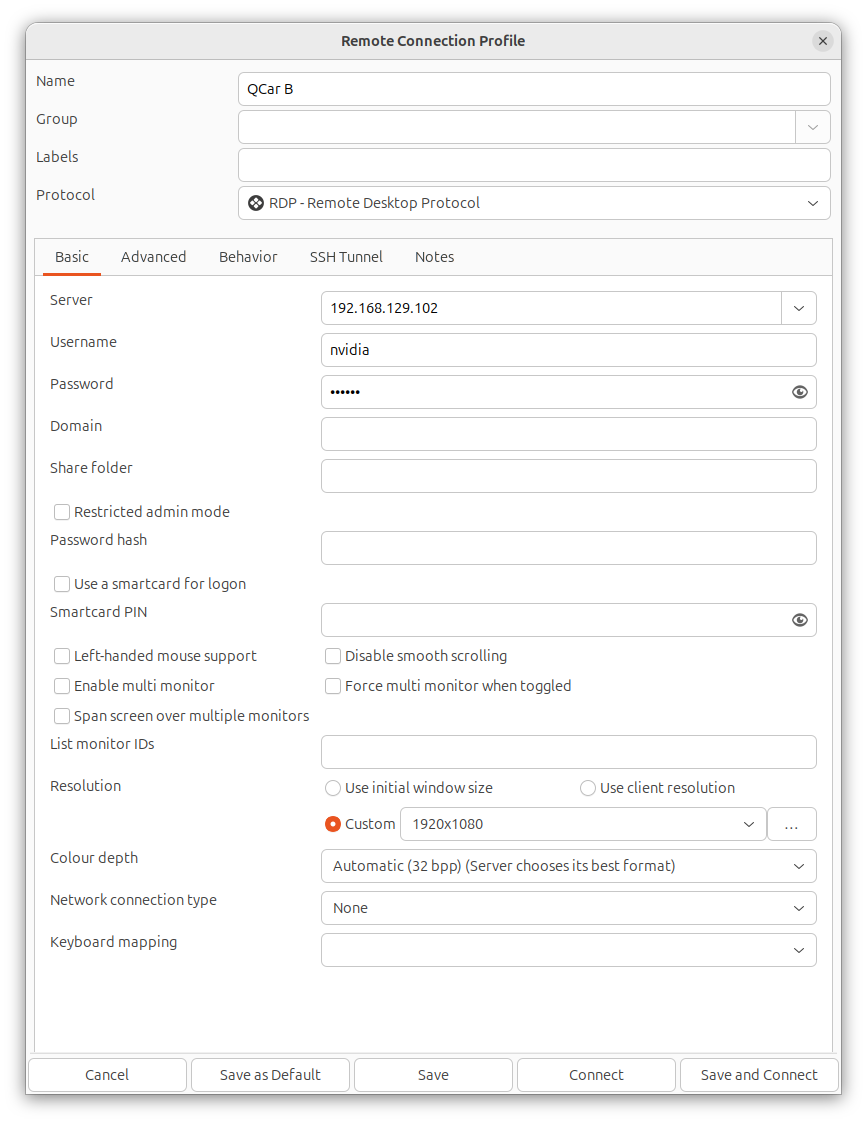
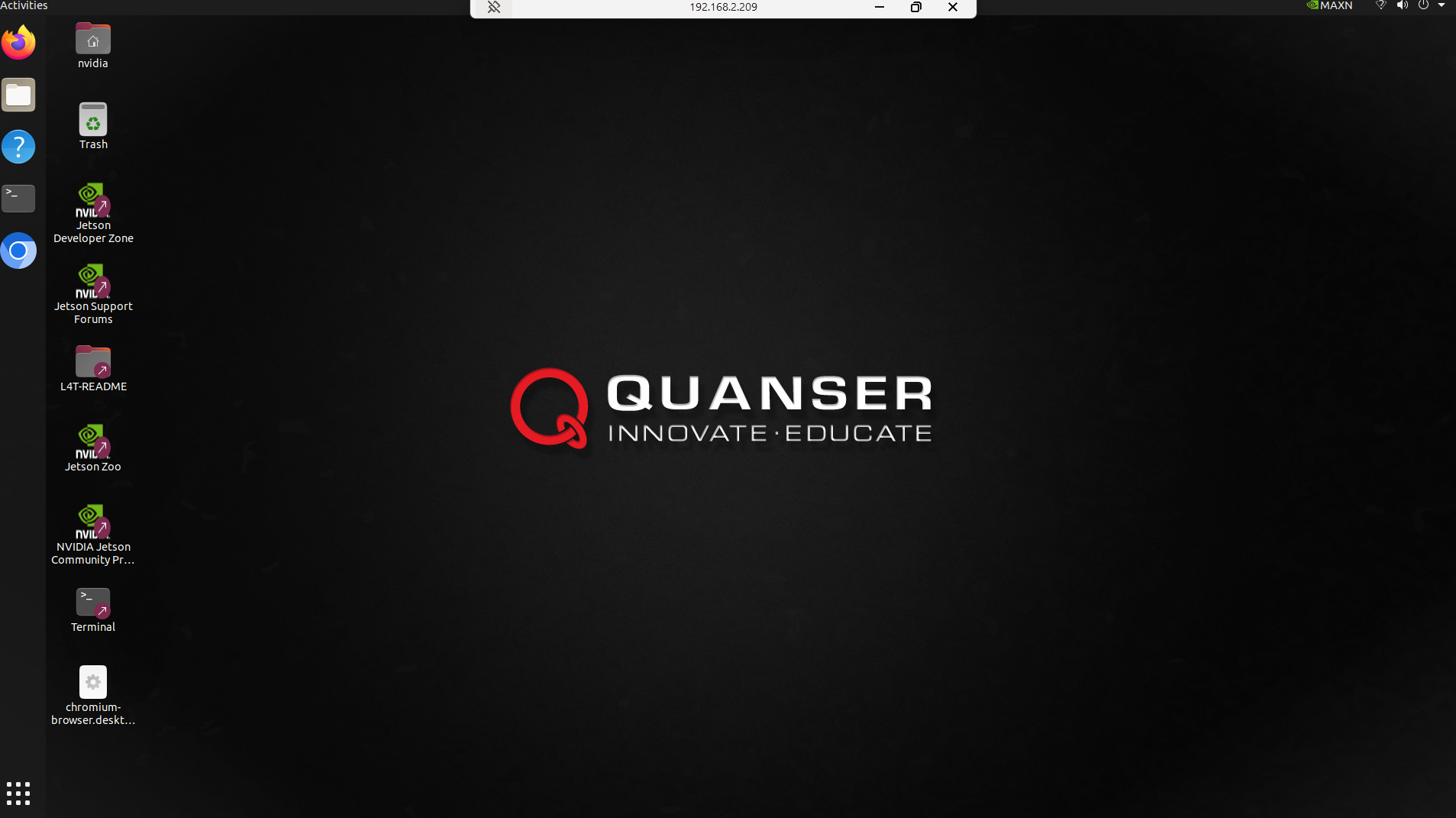
Save and Connectshould show the QCar 2 desktop:
5. System Hardware
The QCar 2 System Hardware is documented in the linked PDF file:
6. Python Software
Information about designing Python applications for the QCar 2 is documented in the linked PDF file:
- Display the version of
pythonusing the following (should be3.8.10):
bash
python3 --version- To see the Python packages installed using
pip:
bash
python3 -m pip list6.1 Developing QCar 2 Applications
For QCar 2, it is recommended to connect to the QCar remotely via Remote Desktop and develop directly on the QCar using VS code.
However, it is not pre-installed in the QCar. To check if installed, open a terminal session:
bash
codeIf it needs to be installed:
Download the Debian package from Visual Studio Code, and select the “Arm64” option of the Debian package.
To install:
bash
sudo apt install ./<file>.deb7. Python Hardware Tests
Overview document QCar2_Hardware Test.pdf
7.1 Intel Realsense Camera
Remote desktop into the QCar.
Open a terminal session and go to the appropriate directory:
bash
cd /home/nvidia/Documents/Quanser/5_research/sdcs/qcar2/hardware/hardware_tests- Run the script:
bash
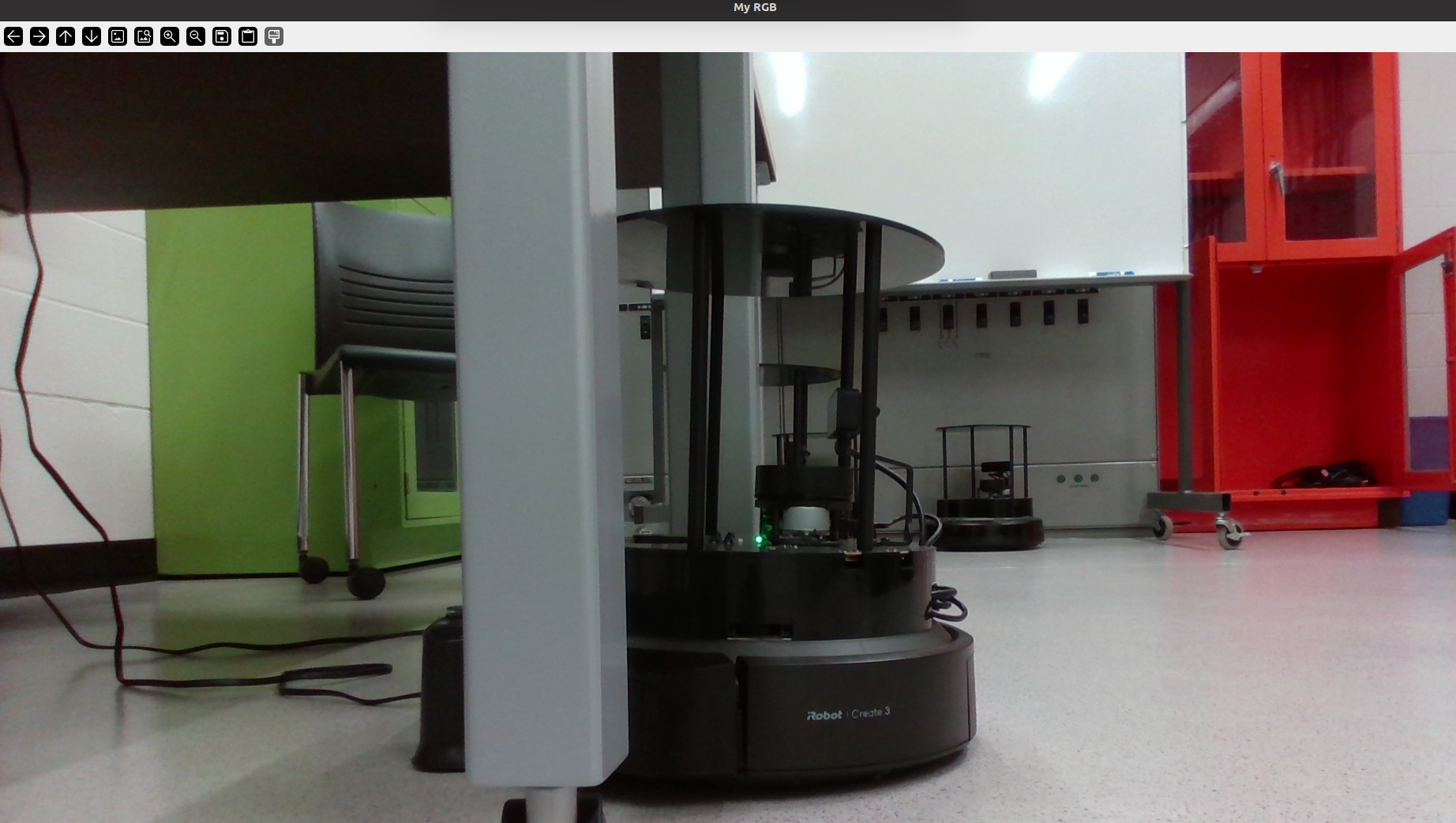
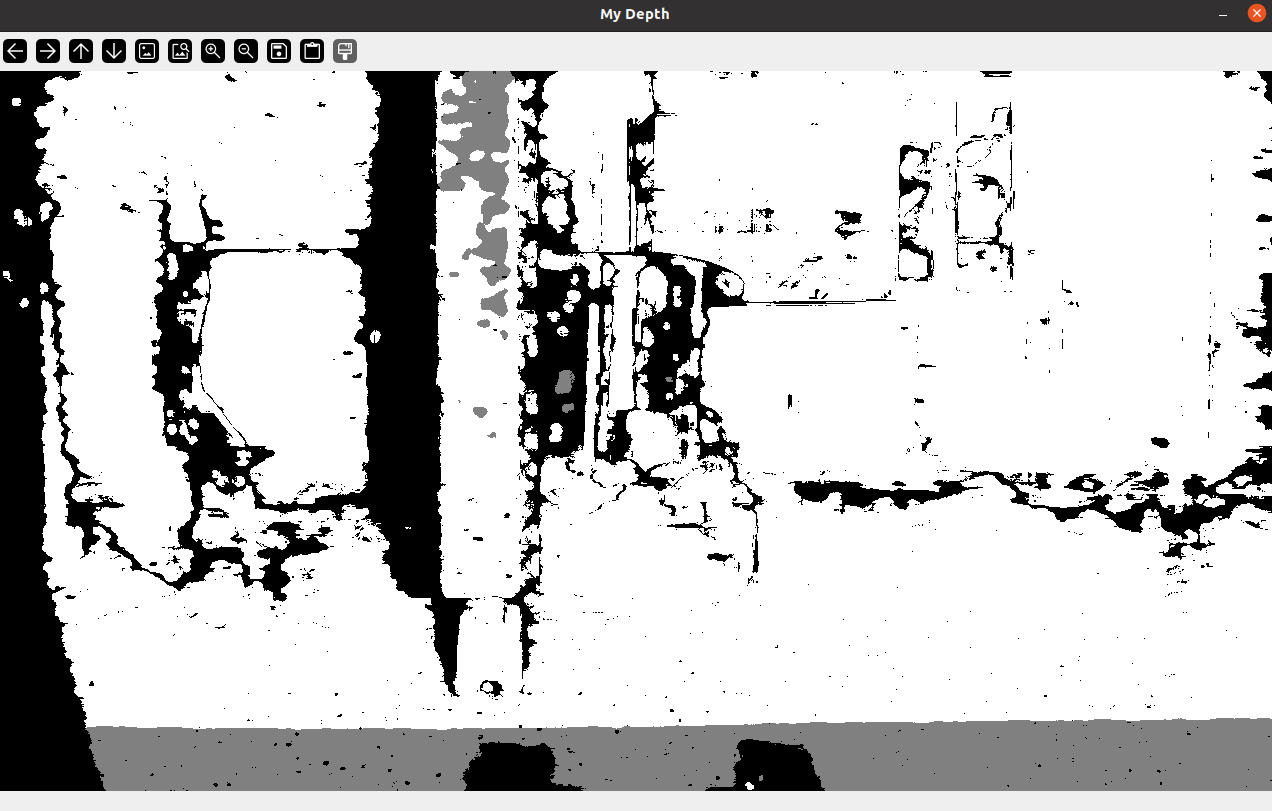
python3 QCar2_hardware_test_intelrealsense.pyThis script should launch an RGB and a Depth window on your screen. An example output is shown below (RGB and Depth). Note that it automatically times out after about 30 seconds and exits the script.
Example RGB image:
Example Depth image:
Script content:
python
'''hardware_test_intelrealsense.py

This example demonstrates how to read and display depth & RGB image data
from the Intel Realsense camera.
'''
import time
import cv2
from pal.products.qcar import QCarRealSense, IS_PHYSICAL_QCAR

if not IS_PHYSICAL_QCAR:
    import qlabs_setup
    qlabs_setup.setup()


#Initial Setup
runTime = 30.0 # seconds
max_distance = 2 # meters (for depth camera)

with QCarRealSense(mode='RGB, Depth') as myCam:
    t0 = time.time()
    while time.time() - t0 < runTime:

        myCam.read_RGB()
        cv2.imshow('My RGB', myCam.imageBufferRGB)

        myCam.read_depth(dataMode='PX')
        cv2.imshow('My Depth', myCam.imageBufferDepthPX/max_distance)

cv2.waitKey(100)7.2 Polar Plot of LIDAR
Remote desktop into the QCar.
Open a terminal session and go to the appropriate directory:
bash
cd /home/nvidia/Documents/Quanser/5_research/sdcs/qcar2/hardware/hardware_tests- Run the script:
bash
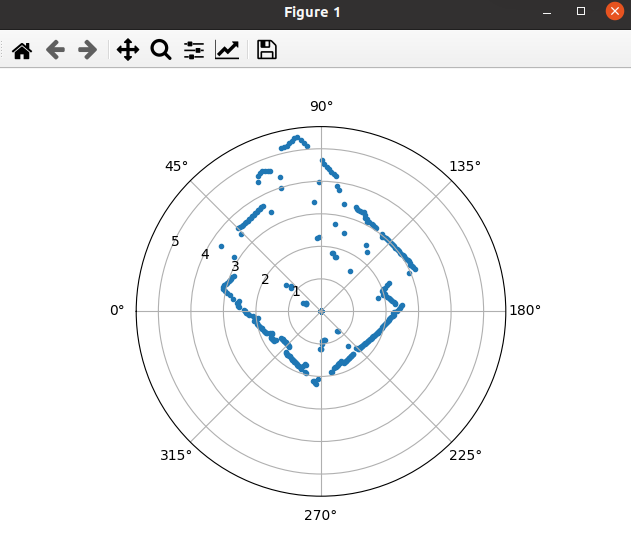
python3 QCar2_hardware_test_rp_lidar_a2.pyThis application should display a polar plot of the LIDAR scans. A sample output is shown here. Note that the 0-degree mark corresponds to the front of the vehicle, and the data is scanned in a counterclockwise positive direction.
Script content:
python
'''This example demonstrates how to read and display data from the QCar Lidar
'''
import time
import matplotlib.pyplot as plt
from pal.products.qcar import QCarLidar
# from pal.utilities.lidar import Lidar

# polar plot object for displaying LIDAR data later on
ax = plt.subplot(111, projection='polar')
plt.show(block=False)

runTime = 10.0 # seconds
# Lidar settings
numMeasurements 	 = 1000	# Points
lidarMeasurementMode 	 = 2
lidarInterpolationMode = 0

# LIDAR initialization and measurement buffers
myLidar = QCarLidar(
	numMeasurements=numMeasurements,
	rangingDistanceMode=lidarMeasurementMode,
	interpolationMode=lidarInterpolationMode
)


t0 = time.time()
while time.time() - t0  < runTime:
    plt.cla()

    # Capture LIDAR data
    myLidar.read()

    ax.scatter(myLidar.angles, myLidar.distances, marker='.')
    ax.set_theta_zero_location("W")
    ax.set_theta_direction(-1)

    plt.pause(0.1)

myLidar.terminate()7.3 Basic I/O
Remote desktop into the QCar.
Open a terminal session and go to the appropriate directory:
bash
cd /home/nvidia/Documents/Quanser/5_research/sdcs/qcar2/hardware/hardware_tests- Run the script:
bash
python3 QCar2_hardware_test_basic_io.pyThis script should automatically drive a sinusoidal throttle and steering command to the wheels. As the steering changes left and right, the corresponding LED indicators should light up. As the wheels spin forward or backwards, the corresponding headlamps or rear lamps/reverse indicators should light up.
Example terminal output:
text
time: 5.00, Battery Voltage: 11.65, Motor Current: 0.36, Motor Encoder: [-12393], Motor Tach: 0.23, Accelerometer: [0.19153613 0.1436521 9.63426748], Gyroscope: [0.00918791 0.01105212 0.24181503]Script content:
python
'''hardware_test_basic_io.py

This example demonstrates how to use the QCar class to perform basic I/O.
Learn how to write throttle and steering, as well as LED commands to the
vehicle, and read sensor data such as battery voltage. See the QCar class
definition for other sensor buffers such as motorTach, accelometer, gyroscope
etc.
'''
import numpy as np
import time
from pal.products.qcar import QCar, IS_PHYSICAL_QCAR

if not IS_PHYSICAL_QCAR:
    import qlabs_setup
    qlabs_setup.setup()


#Initial Setup
sampleRate = 200
runTime = 5.0 # seconds

with QCar(readMode=1, frequency=sampleRate) as myCar:
    t0 = time.time()
    while time.time() - t0  < runTime:
        t = time.time()

        # Read from onboard sensors
        myCar.read()

        # Basic IO - write motor commands
        throttle = 0.1 * np.sin(t*2*np.pi/5)
        steering = 0.3 * np.sin(t*2*np.pi/2.5)

        LEDs = np.array([0, 0, 0, 0, 0, 0, 1, 1])
        if steering > 0.15:
            LEDs[0] = 1
            LEDs[2] = 1
        elif steering < -0.15:
            LEDs[1] = 1
            LEDs[3] = 1
        if throttle < 0:
            LEDs[5] = 1

        myCar.write(throttle, steering, LEDs)

        print(
            f'time: {(t-t0):.2f}'
            + f', Battery Voltage: {myCar.batteryVoltage:.2f}'
            + f', Motor Current: {myCar.motorCurrent:.2f}'
            + f', Motor Encoder: {myCar.motorEncoder}'
            + f', Motor Tach: {myCar.motorTach:.2f}'
            + f', Accelerometer: {myCar.accelerometer}'
            + f', Gyroscope: {myCar.gyroscope}'
        )